This month is all about one big idea: you can now hire an AI agent. Give them a name, a face, an email address on your own custom domain, and a set of instructions, and they'll work alongside you, nurturing your database 24/7. Here's everything that shipped.
Major Update🤖 Create Your Own AI Agent Employee
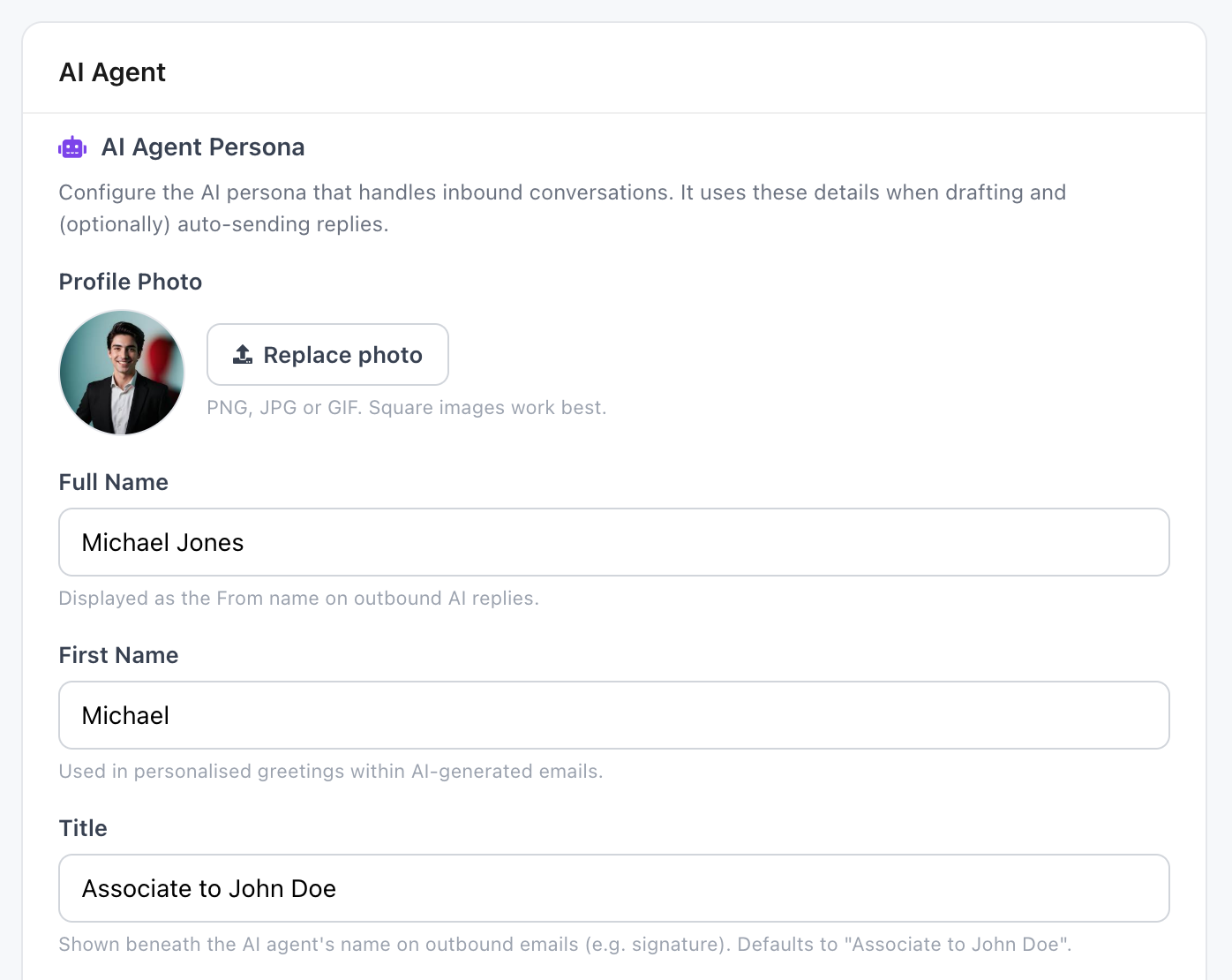
Configure the AI persona that handles your inbound conversations and outbound nurture. Upload a profile photo, set their full name, first name, and a title (e.g. "Associate to John Doe"). These details appear on every reply they send and in the chat experience your team uses internally.
Your AI agent isn't a generic chatbot. They have a face, a name, and a role inside your business. Homeowners get a consistent person to deal with, and you get an extra team member you don't have to pay a salary.
📧 Custom Domain Email for Your AI Agent
Your AI agent sends from a real, professional inbox on your own custom domain (e.g. michael.jones@youragency.agency). Vendorleads purchases and manages the domain on your behalf, with no DNS configuration, no inbox setup, and no IT overhead. Your AI just shows up to work with a credible email address from day one.
Set the email signature once and it's appended to every outbound message, with the agent's profile photo shown automatically next to it. Use variables like {{ai_agent_name}}, {{ai_title}}, and {{agency_name}} so the signature stays in sync if you ever rename your agent or rebrand.
📤 Hyper-Personalised Outbound Campaigns, On Your Terms
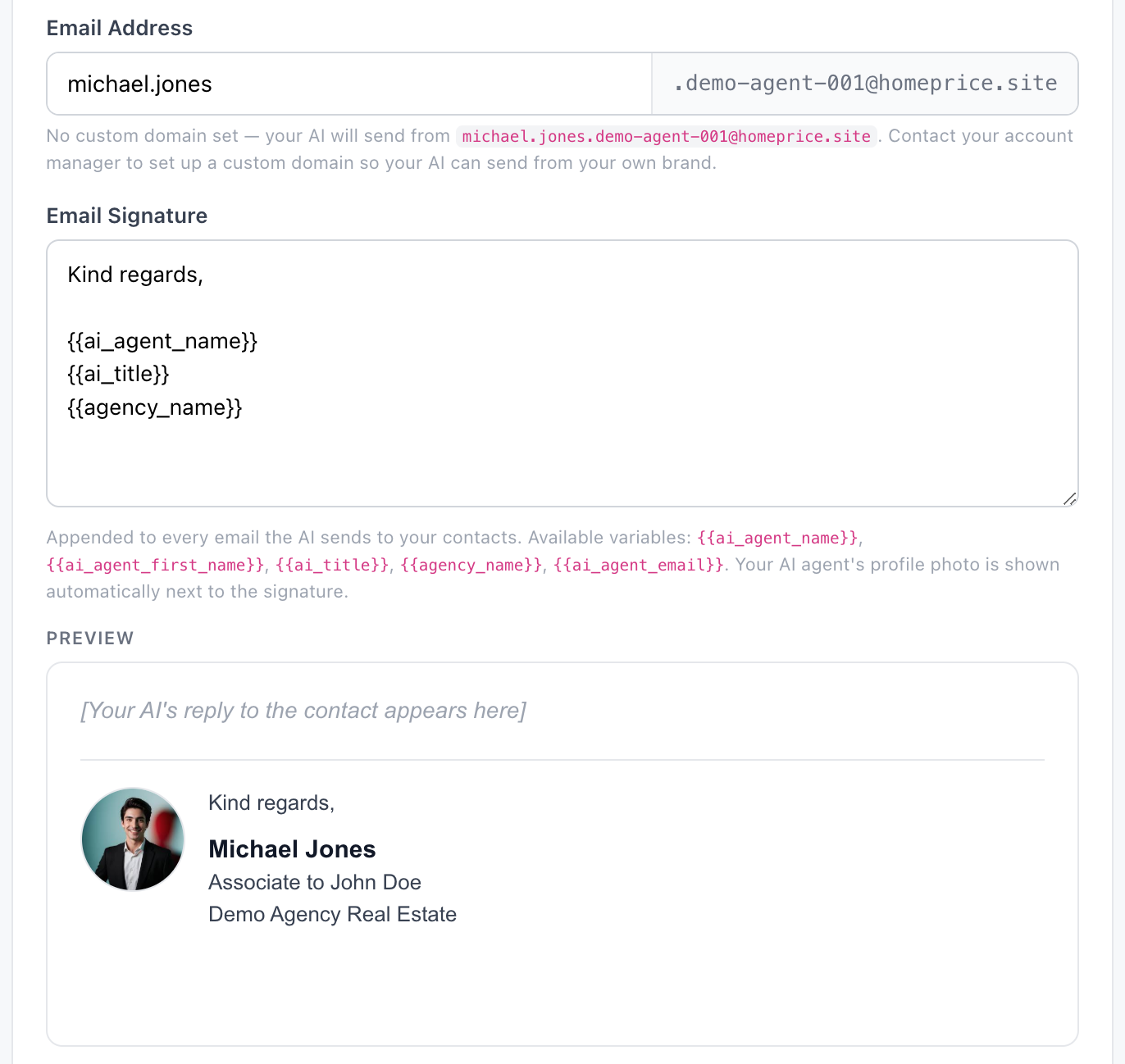
Toggle outbound AI follow-ups and warm-up campaigns on or off with a single switch. When it's on, your AI agent quietly emails your contacts on your behalf with property update warm-ups, market update warm-ups, and incomplete-analysis nudges. Every email is written from scratch for that specific contact.
These are plain-text, hyper-personalised emails, not template blasts. They reference the contact's actual property, recent activity, and conversation history. They look and feel like an email a real associate would send.
Below it, a separate "Review all responses" toggle gives you a safety net. Leave it on while you're getting comfortable, and every AI-generated reply lands in your inbox for approval before it goes out. Once you've trained your agent on what good looks like, flip it off and let them run.
🧠 Global Instructions: Train Your AI Like a New Hire
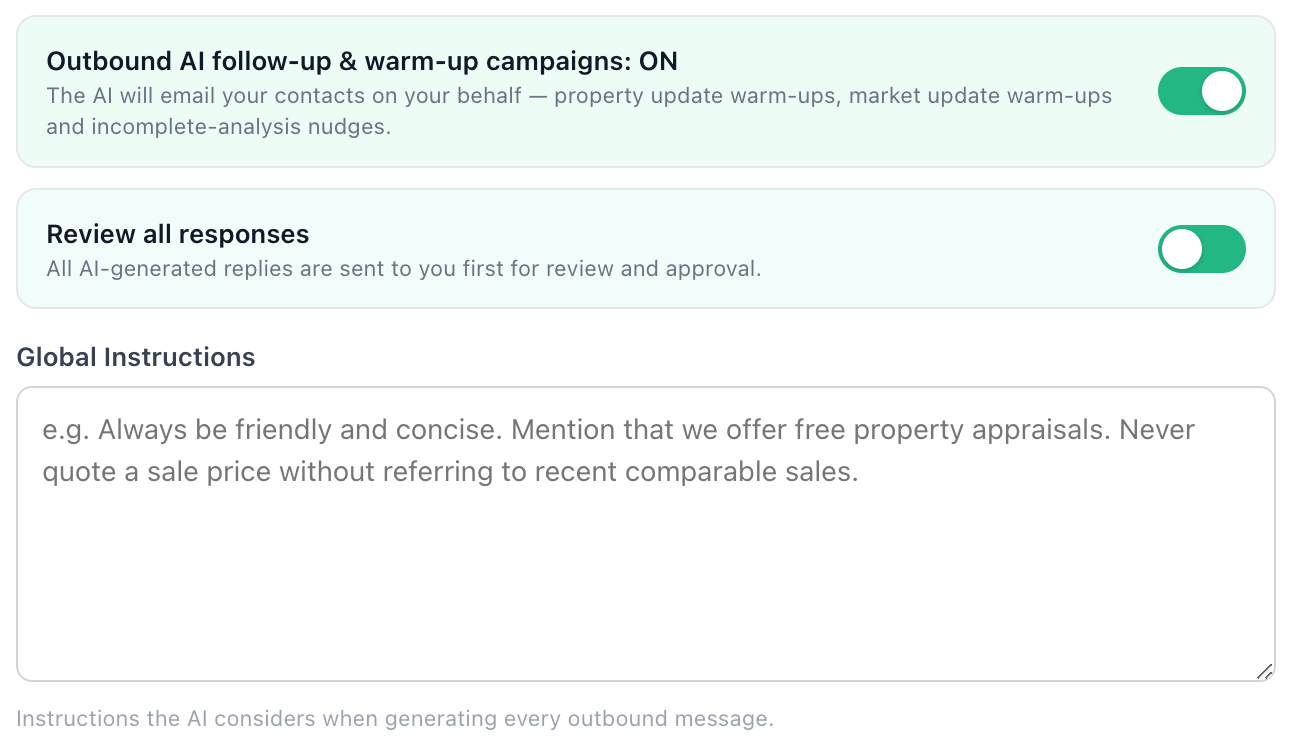
Write down how you want your AI to behave once, and they'll consider it on every outbound message. Things like "always be friendly and concise," "mention that we offer free property appraisals," or "never quote a sale price without referring to recent comparable sales."
It's the same way you'd brief a new associate, except you only have to do it once and they never forget. Update the instructions any time and the change applies immediately to every future message.
Major Update📥 Give Your AI Memory of Past Conversations
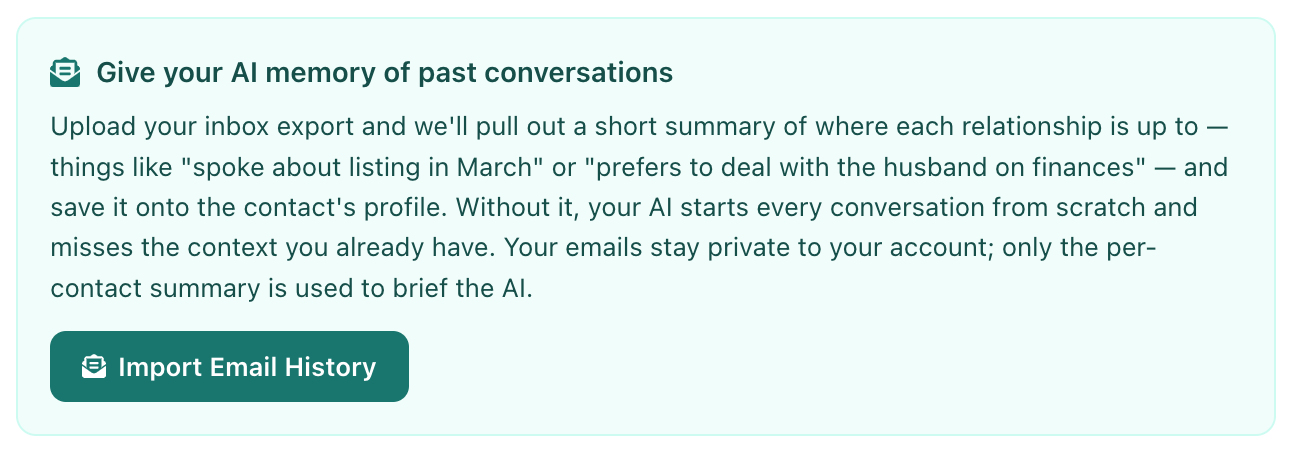
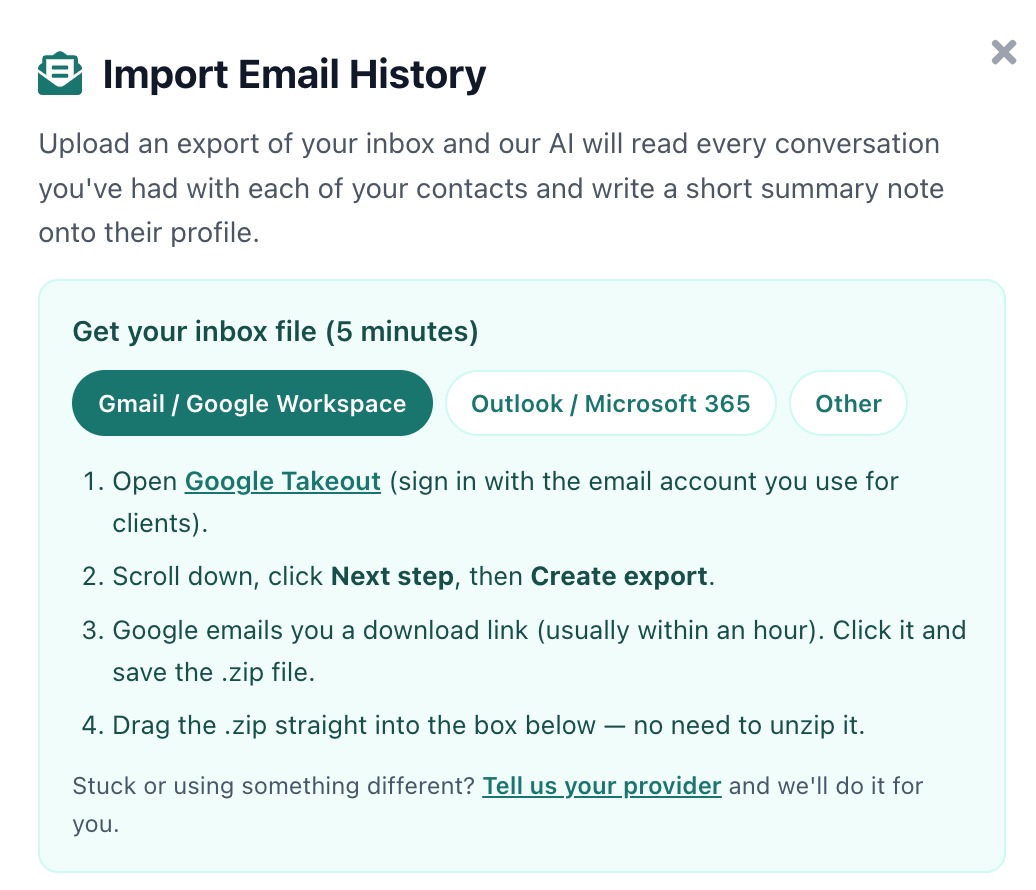
Without context, your AI starts every conversation from scratch and misses years of relationship history. Now you can upload an export of your inbox and our AI will read every conversation you've had with each of your contacts and write a short summary note onto their profile. Things like "spoke about listing in March" or "prefers to deal with the husband on finances."
Your emails stay private to your account. Only the per-contact summary is used to brief your AI agent. The result is an AI that walks into every conversation already knowing where the relationship is up to.
📨 Works With Gmail, Outlook & Any Email Provider
Importing your history is a guided, 5-minute process. Pick your provider (Gmail / Google Workspace, Outlook / Microsoft 365, or Other), follow the on-screen instructions (e.g. Google Takeout for Gmail), then drag the resulting .zip straight into the importer. No need to unzip it.
To keep your AI's memory current, simply forward any new emails you receive to your AI agent's inbox. They'll read them, update the contact's relationship summary, and use that fresh context the next time they reach out, so your AI agent always has the full picture before making a decision.
🔁 Choose Who You Own and Who the AI Owns
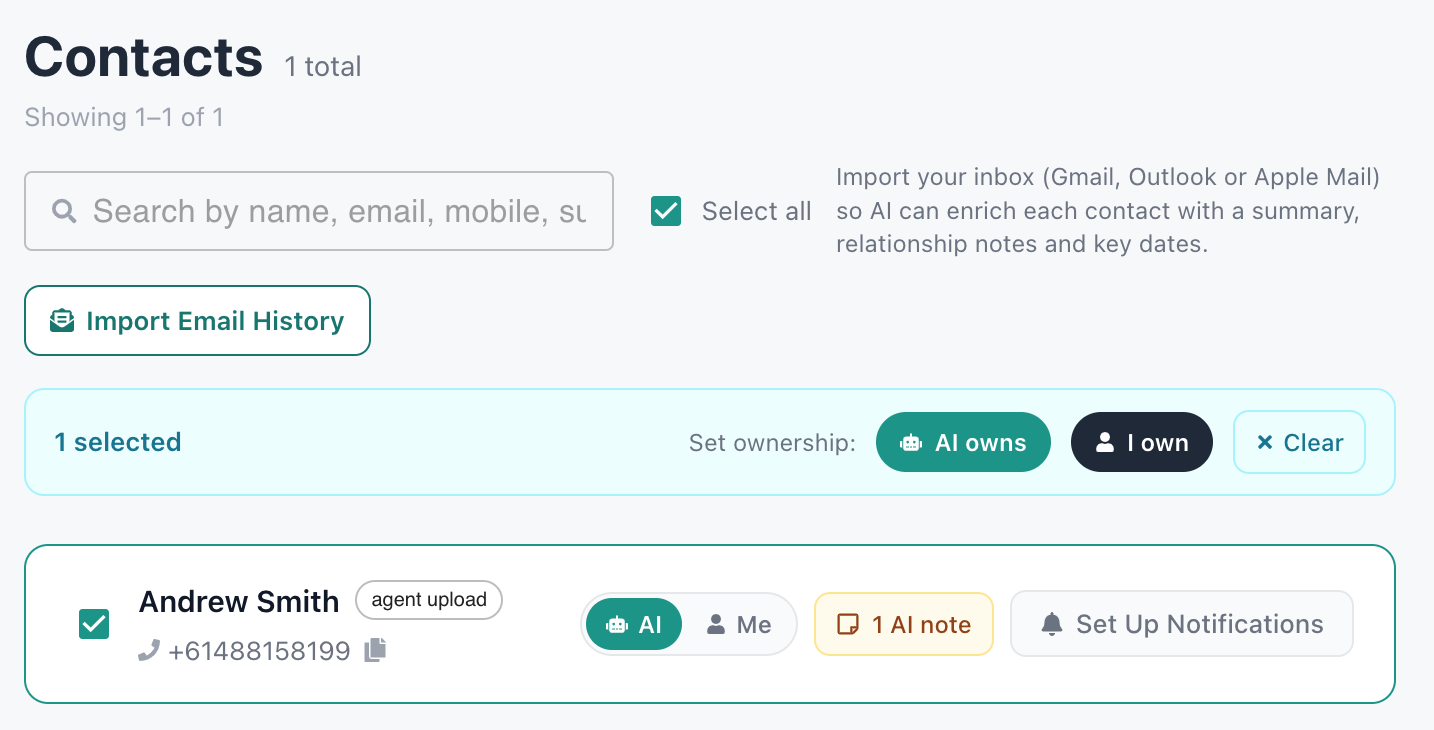
From your contacts list, select any group of contacts and assign ownership in one click: "AI owns" or "I own." Cold contacts and long-tail nurture? Hand them to the AI. Hot leads in active negotiation? Keep them yourself.
When the AI warms a contact up (they reply with intent, request an appraisal, or start engaging seriously), the contact is automatically passed back to you so you can take the relationship over the line. You stay focused on the conversations that need a human; the AI handles the rest.
💬 Chat Directly With Your AI Agent
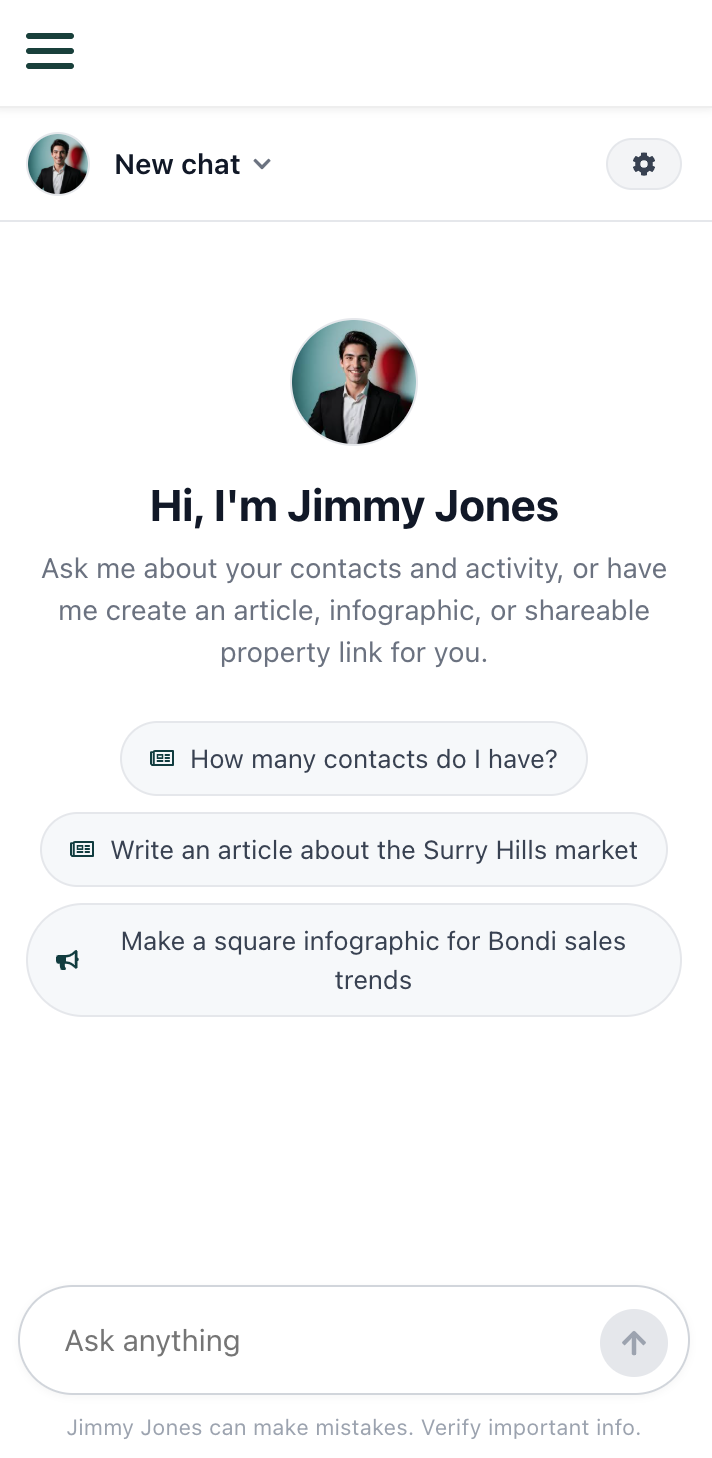
Your AI agent is also a teammate you can talk to. Open the chat, ask questions about your contacts and activity, or get them to do work for you. Write an article about the Surry Hills market, build a square infographic for Bondi sales trends, draft a social media schedule, or pull a shareable property link.
Anything that can be done in the platform, your AI agent can now do for you on request. It's the same agent that handles your inbound emails and outbound campaigns, so they already know your brand, your tone, your contacts, and your patch.
Hire your AI agent today
Get Started Free