A big month. We've rebuilt the way you understand your contacts, given your AI agent a real inbox and a real chat window, shipped per-property QR flyers, and launched a new Comparables Finder for your homeowners.
Major Update📊 Contact Scoring + Revamped Contacts Tab
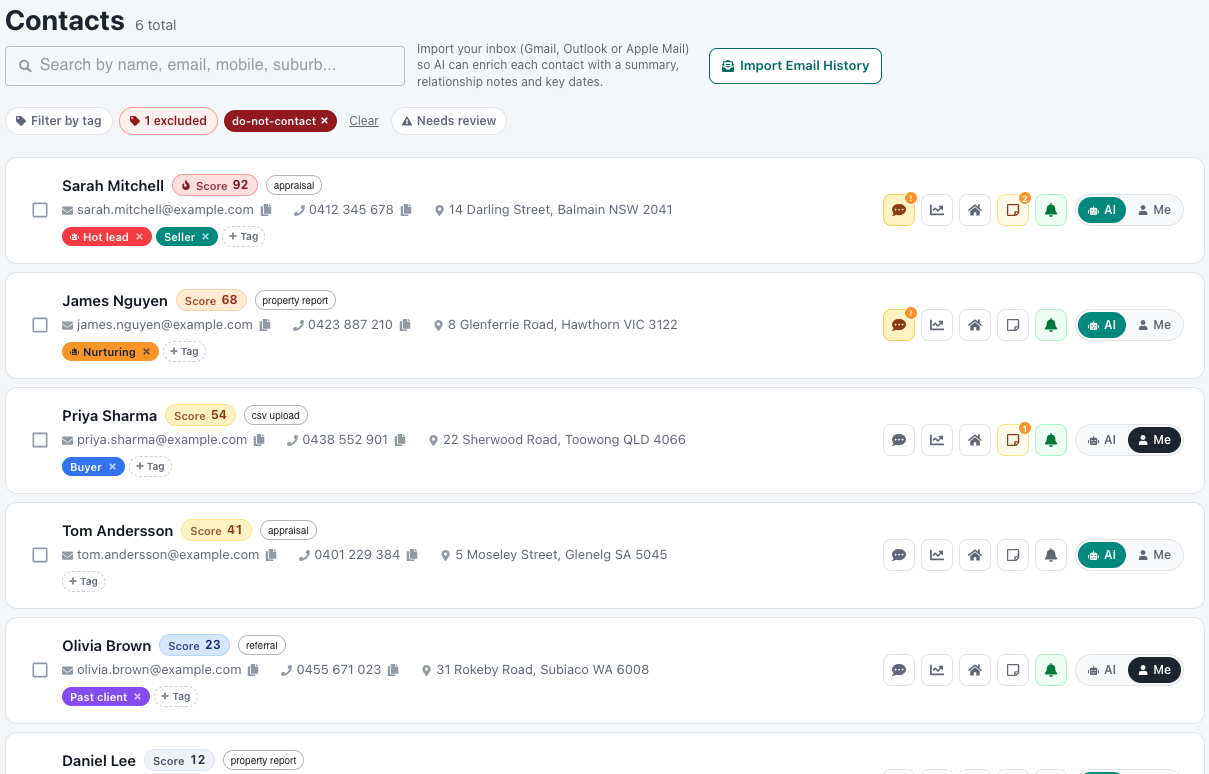
Every contact in your database now has a score from 0 to 100 that reflects how likely they are to list. The score is computed from real engagement signals: email opens, property views, article reads, reply sentiment, whether you have their ownership address, and time since last contact.
The Contacts tab has been rebuilt around the new score. Every contact now shows the score badge, tags (both yours and the AI's), ownership address, and an AI / Me ownership toggle in a single clean row. Filter by tag, score band, or "Needs review" to slice the database any way you want.
🏷️ Custom Tags + AI Tags From Real Reply Behaviour
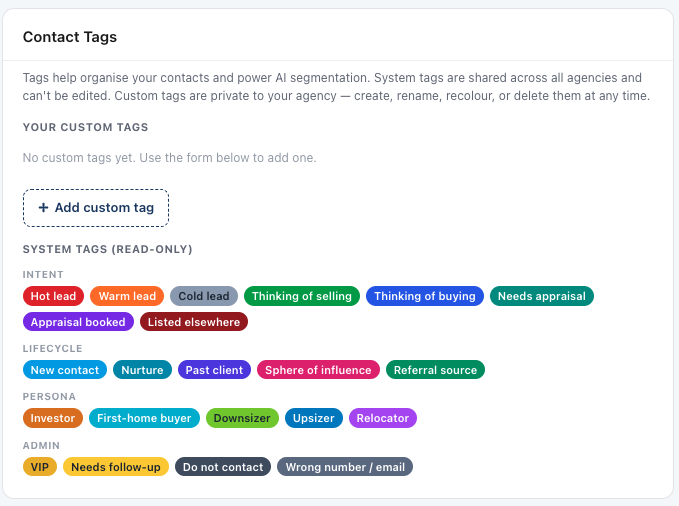
Tagging is now a first-class feature on every contact. You get a deep set of shared system tags out of the box — intent (Hot lead, Thinking of selling, Needs appraisal), lifecycle (New contact, Past client, Sphere of influence), persona (Investor, Downsizer, Upsizer) and admin (VIP, Do not contact) — and you can create your own custom tags for anything specific to your business.
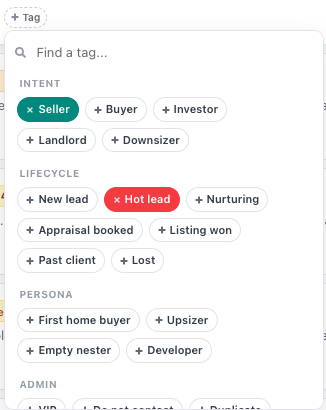
Tag any contact in one click from the contact row. More interestingly, your AI agent reads each contact's reply history and adds its own tags based on what they've actually said and done, so cold contacts surface as warm the moment they show intent.
✅ Brand New Needs Review Tab
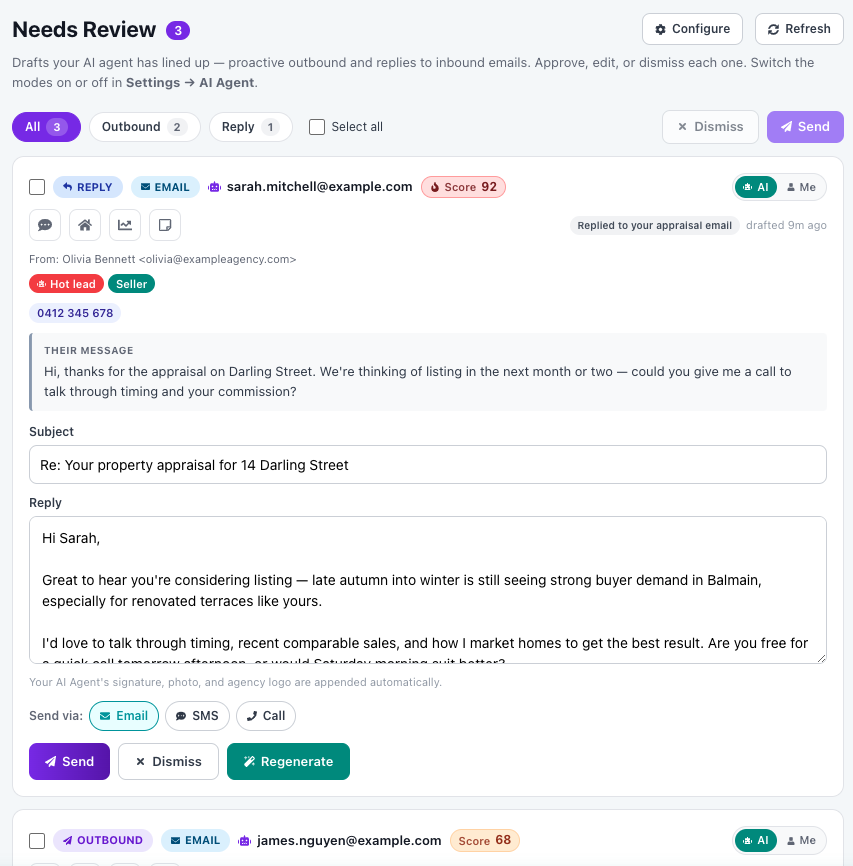
With "Review all responses" turned on, every AI-drafted reply and every outbound your AI wants to send lands in the new Needs Review tab before it goes out. Approve, dismiss, or regenerate in a single click — and you can switch between Email, SMS, and Call as the send channel right from the draft.
Each draft shows the original message, the contact's score and tags, the AI's suggested subject and body, and the send channel. The tab is built to be cleared in 5 minutes a day.
💬 Agent Chat
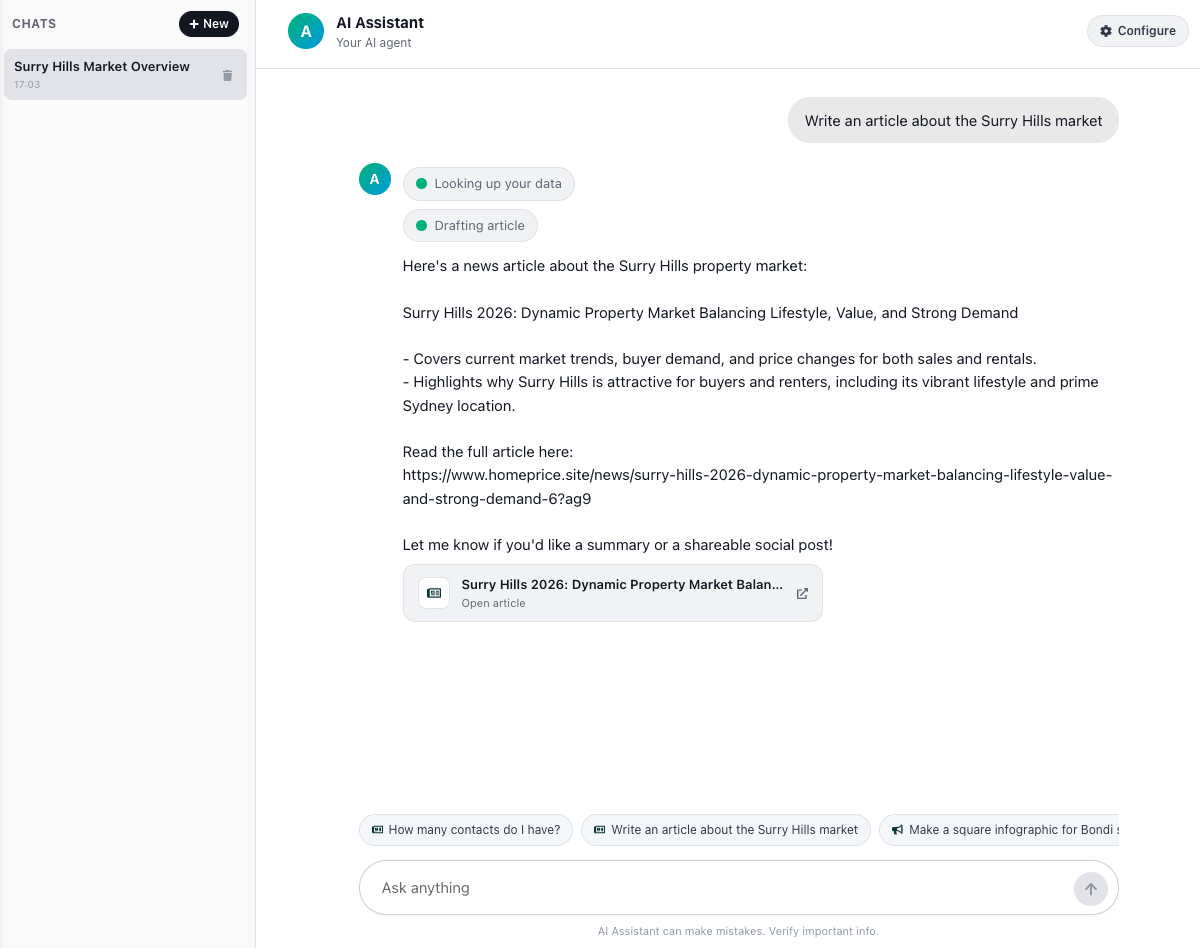
Open the new Agent Chat to talk directly to your AI agent. Ask for a daily recap, draft a market wrap, build an infographic, generate a shareable property link — anything the platform can do, you can now ask for in plain English. Below, the agent drafted a full Surry Hills market article in seconds and published it under your brand.
Because it's the same AI that handles your inbound replies and outbound campaigns, it already knows your contacts, your tone, your patch, and your patterns.
📥 AI Inbox
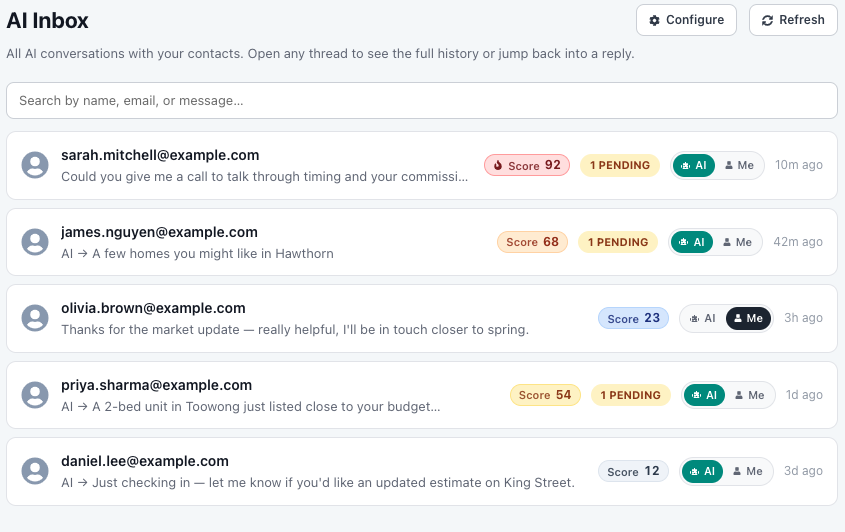
Your AI agent now has a full, shared inbox inside the platform — every email they send and receive, in one place, with each contact's score, AI/Me ownership, and pending status shown right on the thread.
You no longer need to live in Gmail to know what your AI is doing. Open the AI Inbox and you can see the whole conversation thread, override anything, or jump in mid-thread when a contact warms up.
📱 Per-Property QR Flyers (PDF)
This one is genuinely sick. Pick a street, choose the properties you want, and the platform generates a single printable PDF with one personalised page per property — each with its own QR code that takes the homeowner directly to a branded valuation of *their* address.
No more generic flyers. The flyer that lands in 11 Mary Brown Place's letterbox shows a photo of *that* home, the bed/bath/car count of *that* home, and a QR code that goes straight to a branded valuation of *that* address. Drop it in 200 letterboxes on a Saturday and every scan is a pre-qualified homeowner asking about their own property.
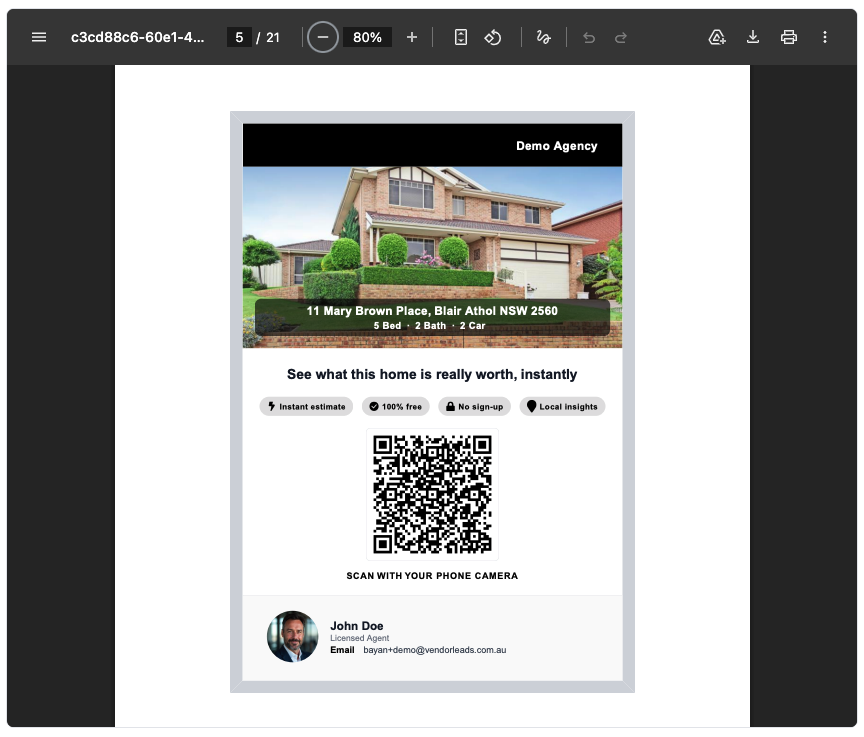
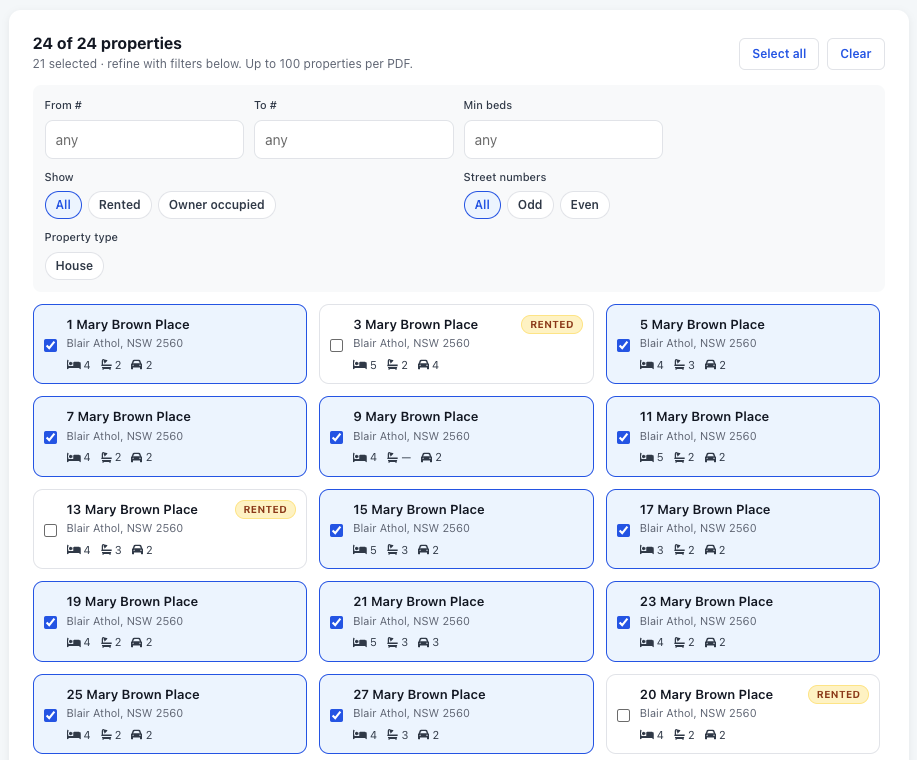
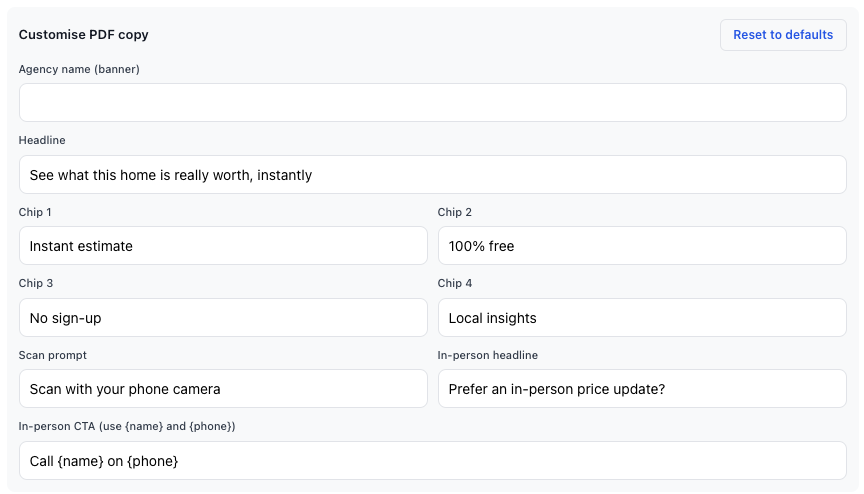
You also get full control over the copy on the flyer — agency banner, headline, the four chips, the scan prompt, and the in-person CTA — so the same flyer can be a price-update tool, a market-update tool, or a straight appraisal CTA depending on the campaign.
🔍 New Comparables Finder (for your homeowners)
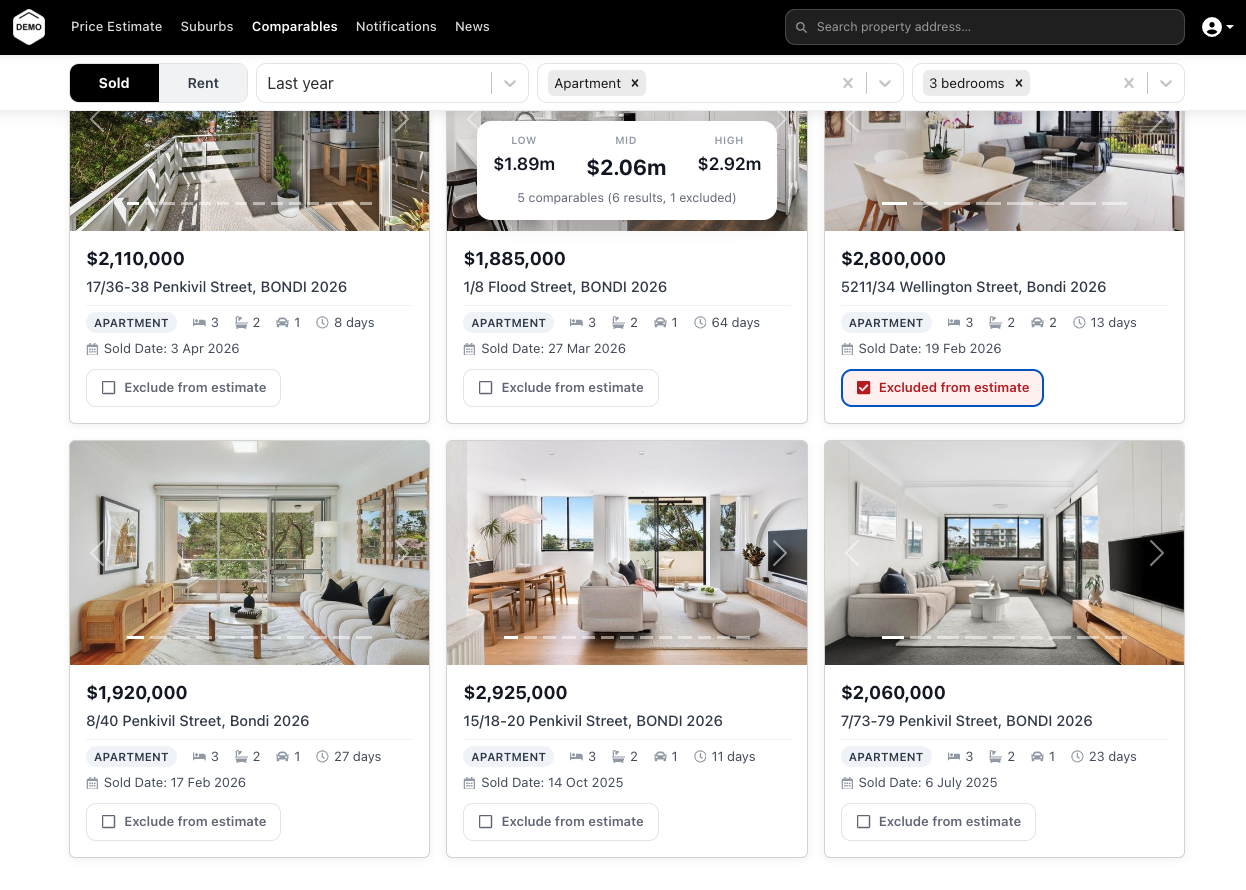
Over in the homeowner-facing app, we've launched a brand new Comparables Finder. Your homeowners can pop in a suburb, pick their property type and bedroom count, and instantly get a feed of recently sold (or rented) comparables.
A live summary card shows the average sale price, the range, days on market, and $/sqm — and it recomputes instantly as the user excludes comparables they don't think are relevant. It's the kind of tool that homeowners come back to weekly, and every interaction sends you a notification with full context for your next conversation.
Try these features in your own account
Get Started Free