This month has been one of our biggest yet. We've redesigned core parts of the platform and shipped a stack of new features to help you engage homeowners, grow your database, and collaborate with your team.
Major Update✉️ AI Email Campaign Builder
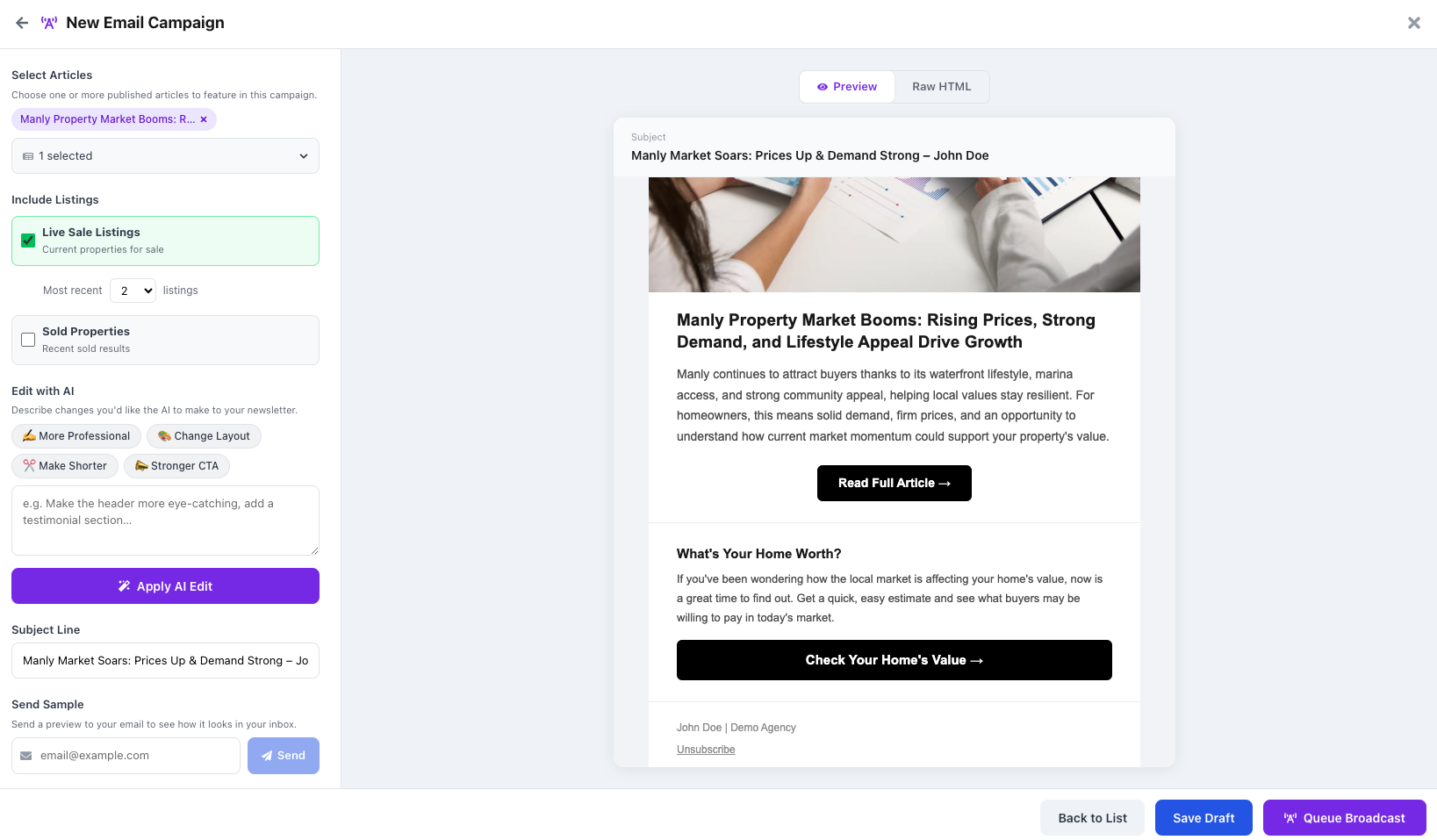
You can now build and broadcast email campaigns directly from the Vendorleads platform. Select one or more of your published AI articles, pull in your live sale and sold listings, and your branding is applied automatically — no more dragging and dropping in external tools.
All your design and layout editing is done by writing simple instructions. Want it more professional? Change the layout? Make it shorter? Add a stronger CTA? Just type what you want and hit Apply AI Edit. Send yourself a sample to preview, then queue the broadcast to your entire contact list — all without leaving Vendorleads.
📊 Fully Revamped Property Analysis Page
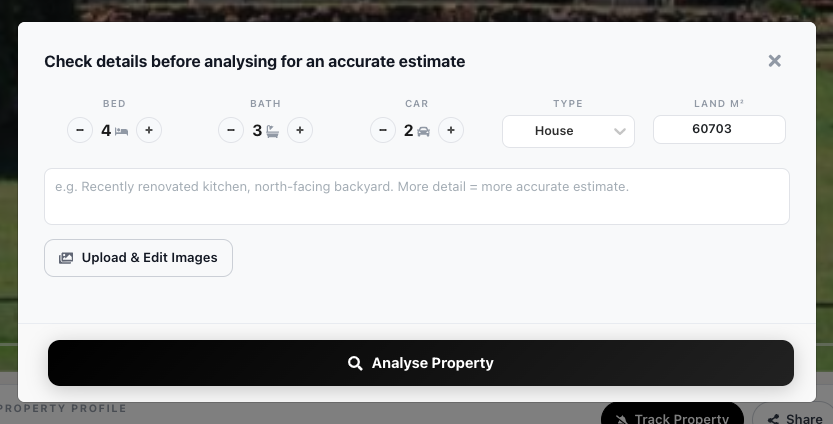
The property analysis page — the core experience for your homeowners — has been completely rebuilt with a modern, clean design built to invoke trust. Users can now edit property details (bedrooms, bathrooms, land size, property type) and upload images before running an analysis, ensuring far more accurate valuations.
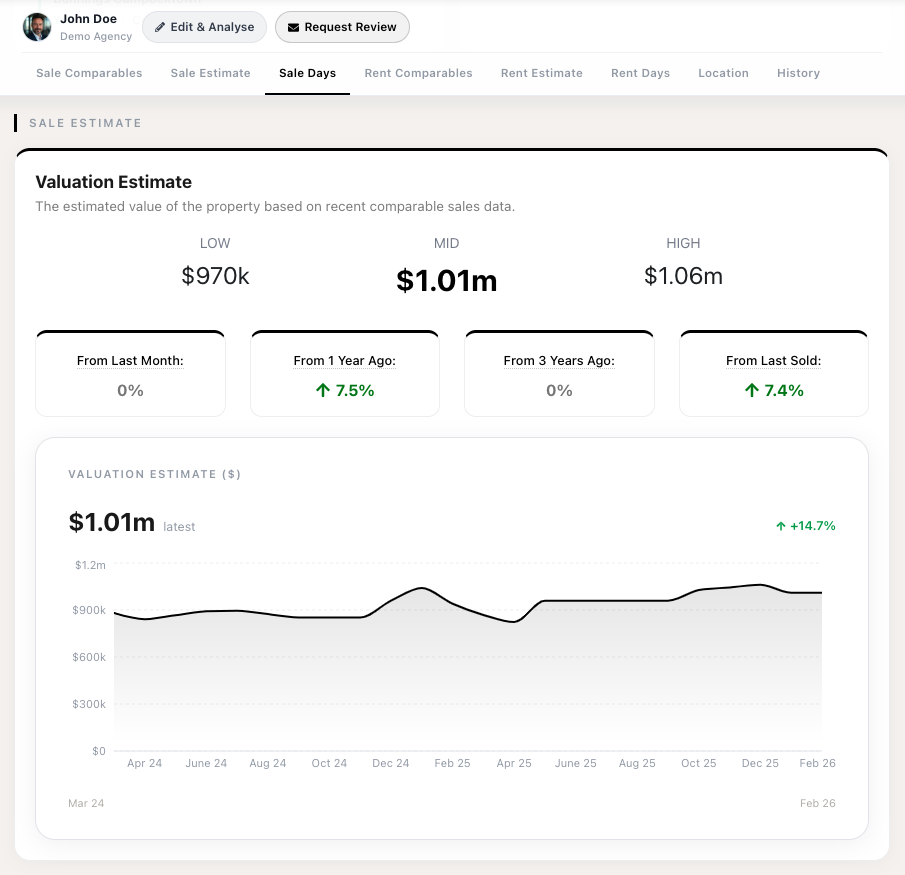
The results page has been redesigned with clearer valuation estimates, historical price trends, growth metrics, and comparable breakdowns — all in a polished layout that keeps homeowners engaged.
📈 Fully Revamped Agent Dashboard
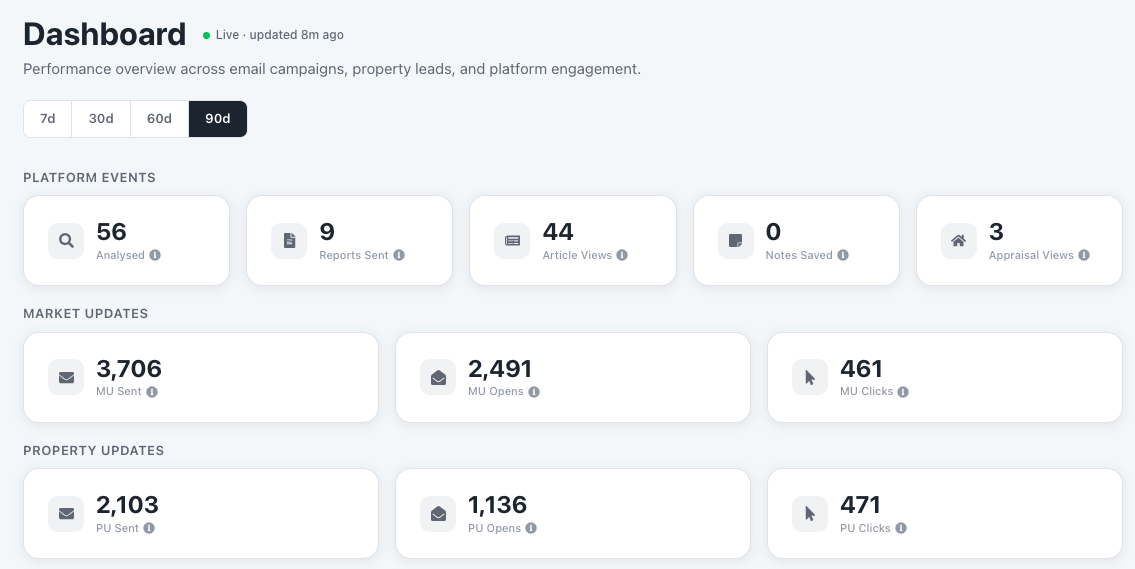
Your agent dashboard has been completely rebuilt to give you a clear, at-a-glance view of your platform performance. See platform events (analyses, reports sent, article views, appraisal views), market update stats (sent, opened, clicked), and property update stats — all in one place.
Filter by time period (7d, 30d, 60d, 90d) to see how engagement trends over time. Everything you need to understand your ROI at a glance.
🏡 Revamped Home Page — Your Data & Insights Hub
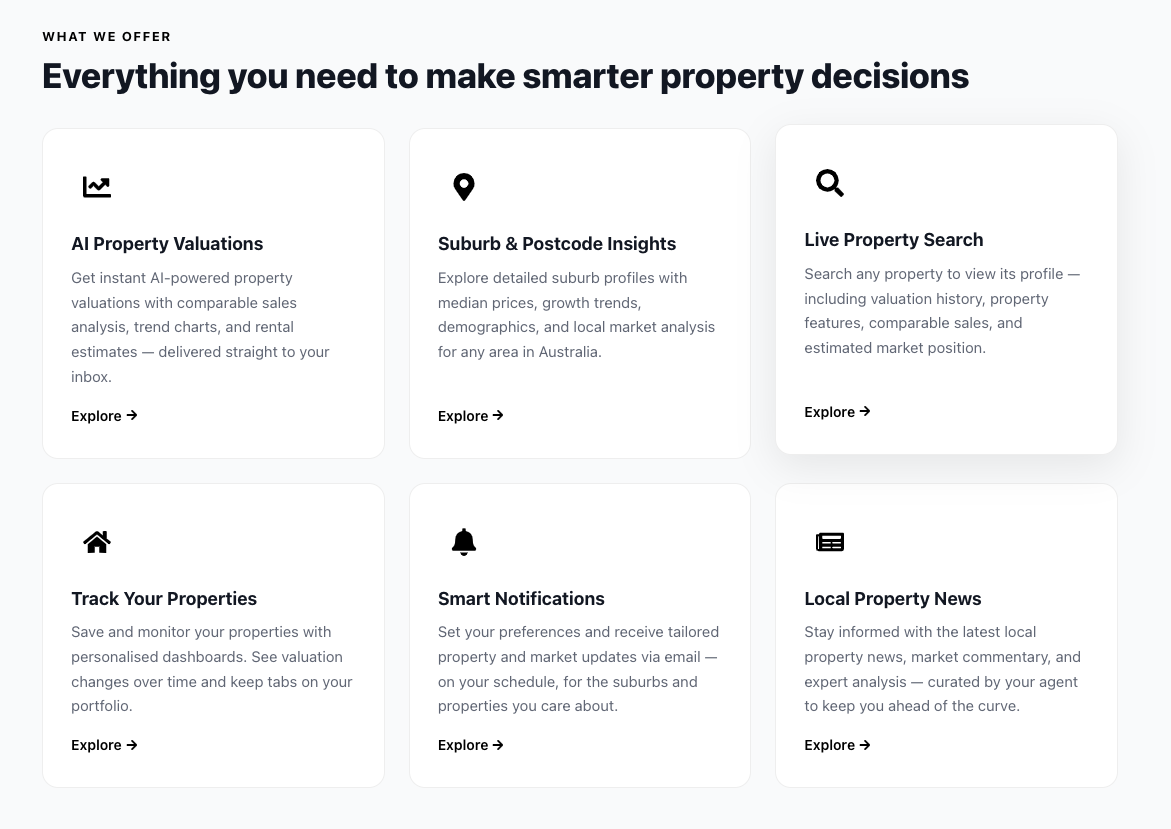
Your branded home page has been completely redesigned to serve as a data and insights hub for your agency. It now showcases all of the tools available to your homeowners — AI property valuations, suburb insights, live property search, smart notifications, and local news.
This is designed to be linked from your own website. Add it to your nav bar, embed it in your email signature, or share it on social media. It gives your contacts a single destination to engage with your brand and automatically funnels them into your database.
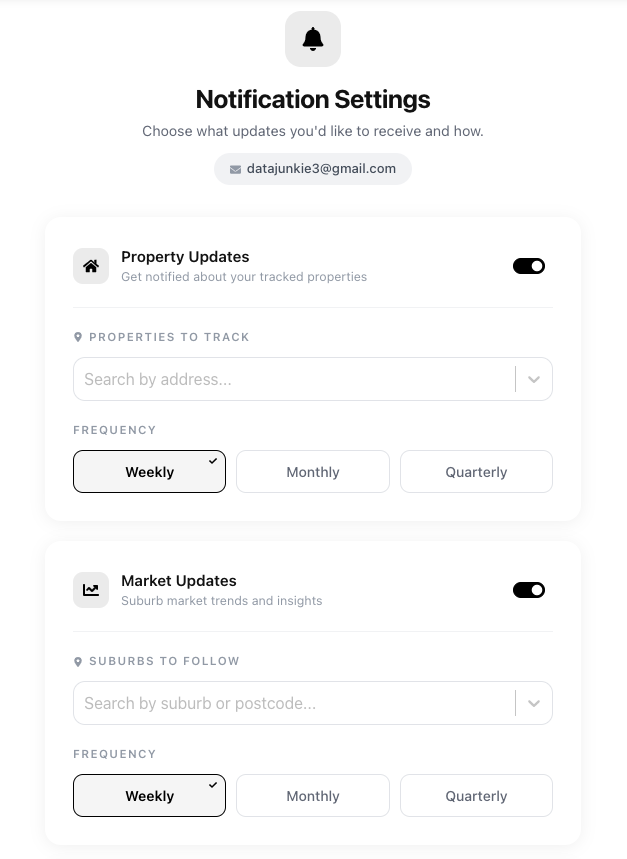
🔔 New Notification Settings for Homeowners
Homeowners can now choose exactly what they want to be updated about. The new Notification Settings page lets users select which properties to track and which suburbs to follow — and set their preferred frequency for each (weekly, monthly, or quarterly).
This means your contacts only receive updates they actually care about, which drives higher engagement and fewer unsubscribes. When a homeowner actively chooses to track a property, that's a strong intent signal for you.
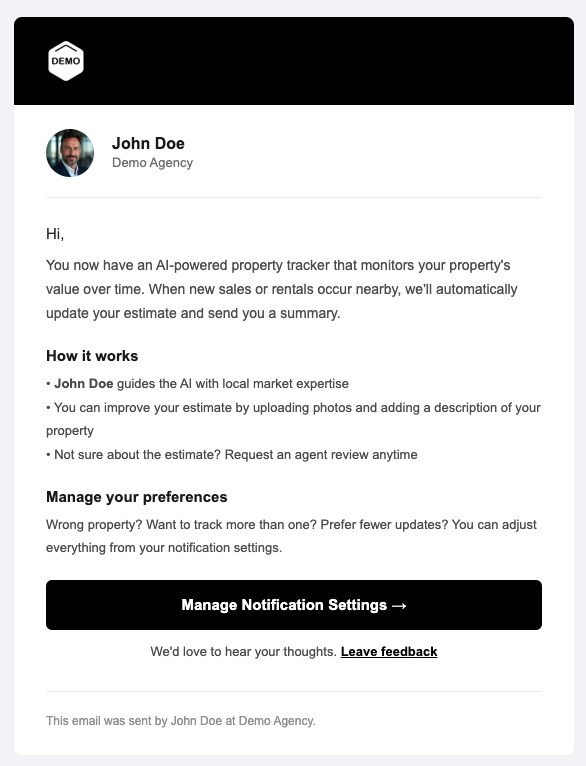
📧 Welcome Email for New Contacts
When a new contact enters your database, they now receive a branded welcome email that introduces them to the platform and walks them through how to track their property. It explains how the AI-powered tracker works, how your expertise guides the analysis, and links them straight to their notification settings.
Instead of receiving a property update out of the blue, new contacts now understand the value of what they're getting from day one. Better onboarding means more engaged homeowners from the start.
📱 SMS Property & Market Updates
Users can now opt in to receive their property and market updates via SMS in addition to email. They simply toggle SMS on in their notification settings and they'll receive a text with a link to their latest update.
SMS has significantly higher open rates than email, so this gives you another channel to stay top of mind with homeowners — especially those who don't check email often.
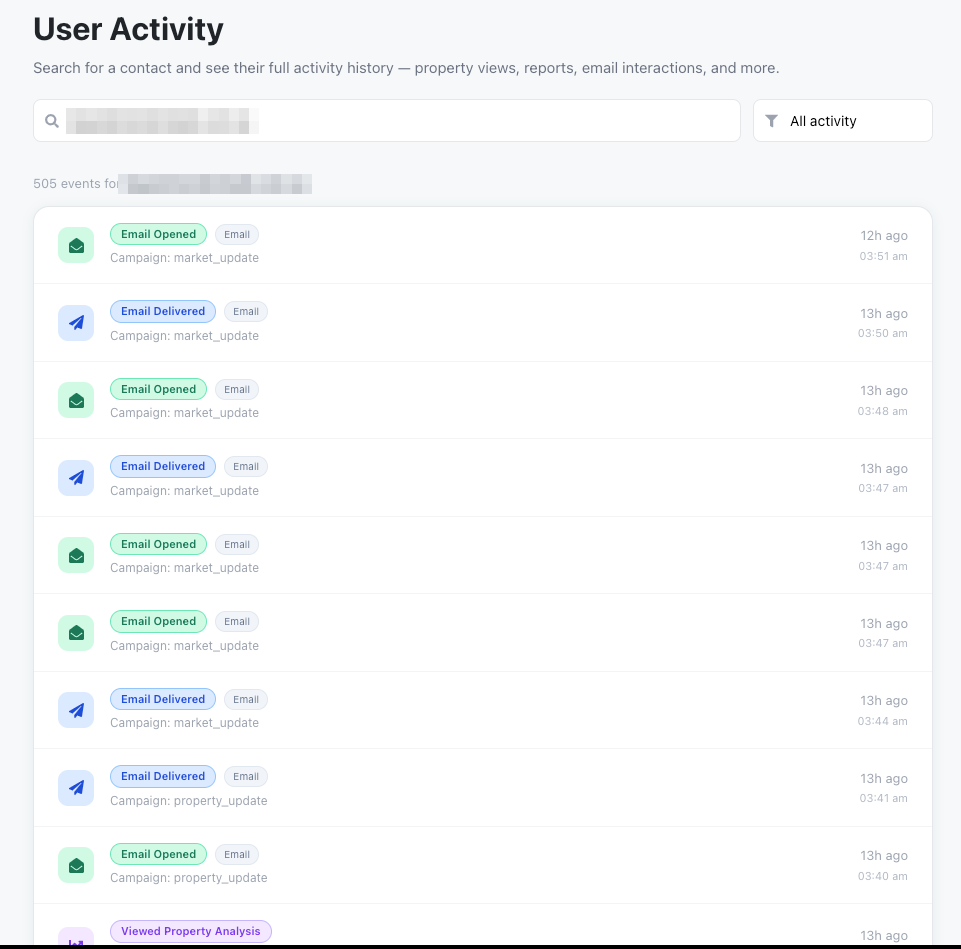
New Feature👀 User Activity & Notifications in the Platform
You can now view user activity directly inside the agent platform. Search for any contact and see their full engagement history — property views, email opens, report downloads, article reads, and more — all in a single timeline.
This gives you the context you need before picking up the phone. See exactly what a homeowner has been engaging with recently so you can have a more informed, relevant conversation.
🤝 Agency Team Sharing
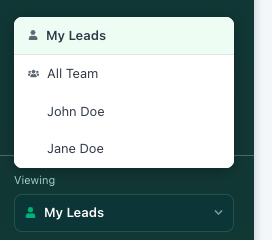
Agents from the same agency can now share data and leads with each other directly in the platform. Switch between viewing your own leads and viewing the full team's activity — or filter by a specific team member.
This makes Vendorleads a true agency-level tool, not just an individual one. Principals and team leaders can see the full picture, while individual agents still have their own focused view.
📤 AI Contact Import
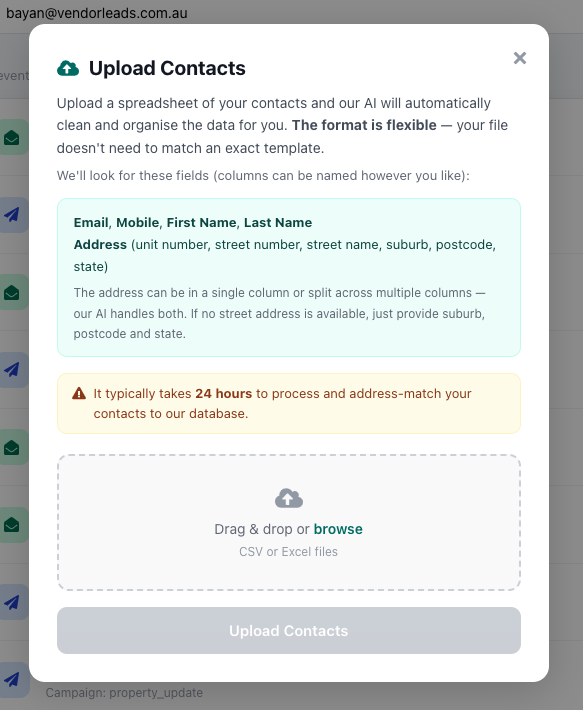
Upload your contacts with our new AI-powered import. Just drag and drop a CSV or Excel file — the format is flexible and your file doesn't need to match an exact template. Our AI automatically detects and maps the relevant columns (email, mobile, name, address), cleans the data, and address-matches your contacts to our database.
It typically takes 24 hours to process and match, and then your contacts will start receiving branded property and market updates automatically.
Try these features in your own account
Get Started Free